
With remote working being the new normal, a lot of us struggle with the absence of a dedicated workspace that carries its own distinct vibe. One that doesn’t blend into the living room, dining area, or bedroom we use for everything else. This is exactly why so many homeowners are exploring home-to-office conversion ideas that make daily work more focused and visually aligned with their personal style. But before choosing a desk or picking décor, there’s one foundational step that often gets overlooked:
Truly understanding the space you’re working with.
Now the path towards space enlightment might go through hours of brainstorming, or with the digitized AEC workflows and tech. Tools like Scan-to-BIM design support, traditionally used in larger projects such as scan to BIM for office-to-residential conversions, are now becoming just as valuable for small home upgrades. By capturing your room’s exact dimensions and turning them into a precise 3D model, Scan-to-BIM allows you to test different layouts, plan lighting and electrical points, and ensure every element fits with intention.
The end result is a smarter and far more personalized home office that feels like it was designed just for you. Let’s walk through a step-by-step guide, designed to make your home office design process a little less tedious and a lot more you.
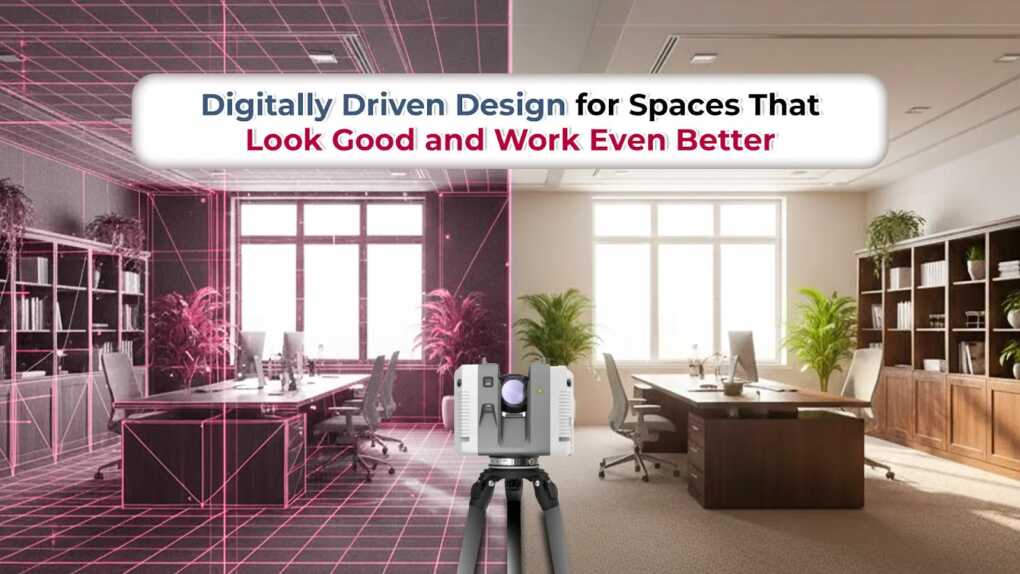
Step 1: Capture Your Space with 3D Laser Scanning
Before you can design a workspace that truly fits your lifestyle, you need to understand the room exactly as it is and not how you think it is. Traditional tape measurements often leave gaps, but 3D laser scanning solutions captures your space with incredible precision, down to every wall angle, nook and corner. Nothing goes past 3D laser scanning equipment like Leica RTC 360 and BLK GO.
What Interior 3D Laser Scanning Really Does?
Think of it as creating a digital twin of your room. The scanner records millions of data points and produces a highly accurate model of:
- Structural elements
- Window and door positions
- Room proportions
- Ceiling slopes or irregularities
- Hard-to-measure corners
This becomes the foundation for all design decisions moving forward.
Why This Step Makes Your Home Office Renovation Better
Instead of guessing what will fit, you get:
- A clear picture of what’s possible: The scan shows the true limits and opportunities of your room.
- Accurate sizing for furniture and built-ins: Say goodbye to desks that don’t fit or shelves that collide with vents.
- Better use of natural light: The scan helps identify how daylight moves through the room, guiding desk placement.
- Zero surprises during renovation: Every detail is mapped, reducing errors and unexpected expenses.
In Simple Terms: It Removes Guesswork
3D laser scanning is the quiet hero behind a seamless home-to-office makeover. It gives you the confidence that every inch of space is understood before planning even begins, ensuring the rest of your design process is smooth, strategic, and perfectly tailored to your needs.
Step 2: Visualize Your Layout with Architectural & Interior BIM Modeling
Once your space is scanned, the next stage is shaping it into a workspace that feels intentional. This is where architectural BIM modeling and interior BIM modeling come in, helping you preview your entire home office layout in 3D before committing any design decisions.
What You Can Explore Through BIM
Here’s a quick look at how BIM supports smarter home-office planning:
| Design Decision | How BIM Helps You Make It Smarter |
| Desk Placement | Tests multiple positions to maximize natural light and reduce glare |
| Furniture Layout | Shows accurate fit so you don’t waste space or block movement |
| Lighting Strategy | Predicts how daylight + artificial light will interact in the room |
| Color & Material Choices | Let’s you preview tones, textures, and décor combinations |
| Storage Planning | Visualizes shelves, built-ins, and vertical storage options |
Why This Matters for Your Home Office
Architectural and interior BIM give you more than just a visual, they give you clarity. You can compare layouts, refine the flow of the room, and make confident choices backed by accurate, scaled information. Instead of guessing what might work, you’re designing with certainty. BIM ultimately transforms the design phase from a guessing game into a guided, data-backed process that ensures your home office looks good and works well for your daily routine.
Step 3: Fine-Tune Lighting, Outlets & Comfort with MEP BIM
A beautifully designed workspace still falls short if the lighting is harsh, outlets are inconvenient, or the room feels stuffy. These behind-the-scenes details shape your everyday comfort, and that’s where MEP BIM solutions become essential.
MEP BIM (Mechanical, Electrical, Plumbing) allows designers to plan your room’s electrical layout, lighting design, and ventilation needs with precision, ensuring your home office functions as smoothly as it looks.
Lighting That Supports Productivity
Good lighting is more than aesthetic; it affects mood, focus, and eye comfort.
What MEP BIM helps you plan:
- Proper placement of task lighting
- Avoiding shadows or screen glare
- Balancing natural and artificial light
- Choosing the right color temperature for long work hours
Outlets Exactly Where You Need Them
Modern home offices demand more power than a typical room provides. MEP BIM supports smart electrical planning by mapping:
- New socket locations for monitors, chargers, printers
- Safe load distribution
- Hidden cable routes for a clean setup
- Switch placement that matches your workflow
Better Ventilation and Temperature Control
Long work sessions require a comfortable environment. MEP BIM helps evaluate:
- Airflow and HVAC needs
- Placement of vents to avoid drafty spots
- Supplemental cooling/heating options for smaller rooms
Why This Step Matters
Without MEP planning, homeowners often end up with extension cords, dim corners, or uncomfortable temperatures. With MEP BIM, your home office becomes a thoughtfully engineered space, well-lit, well-powered, and comfortable all day.
How BIM Helps You Stay on Budget
A home-to-office conversion can quickly become expensive when decisions are based on guesswork. Without clear measurements, coordinated layouts, or accurate planning, homeowners often fall into a cycle of trial and error, buying furniture that doesn’t fit, repositioning lighting, or making last-minute electrical changes. These mistakes pile up, turning a simple upgrade into a costly project.
This is exactly where BIM makes the difference.
1. BIM Eliminates Trial-and-Error Spending
When your room is scanned and modeled accurately, every design choice is backed by data.
- No overbuying.
- No wrong-sized furniture.
- No rewiring because a light switch ended up in the wrong place.
BIM removes uncertainty, which directly reduces unnecessary expenses.
2. Clear Visuals = More Confident Decisions
Scan-to-BIM gives you complete clarity before you spend a single dollar. You can see the layout, test alternatives, and avoid choices that would become expensive mistakes later. This prevents mid-renovation changes, one of the biggest causes of budget overruns.
3. MEP BIM Prevents Hidden Cost Surprises
Electrical, lighting, and ventilation changes can become the most expensive part of a remodel if they’re not coordinated early.
MEP BIM ensures everything behind the walls is planned correctly:
- No extra outlets required later
- No shifting light fixtures mid-project
- No redoing cable routes
Preventing these errors saves hundreds to thousands in rework costs.
4. Why Hiring an Expert Scan-to-BIM Provider Saves You Money
A professional Scan-to-BIM service might seem like an added expense, but in reality, it turns your entire project into an investment, not a liability. Here’s why:
• You pay once for accuracy instead of repeatedly for corrections
• You avoid redesigning and last-minute contractor changes
• You get a clear plan that every contractor can follow
• Your final design is optimized-no waste, no guesswork
In Simple Terms, BIM Makes Your Budget Work For You
Without BIM, you spend based on assumptions, and assumptions are expensive.
With BIM, you spend with clarity, turning each decision into a smart, calculated investment.
Instead of hoping your home office turns out right, BIM ensures it does, efficiently, predictably, and within budget.
Build a Workspace That Works as Hard as You Do
Converting part of your home into a dedicated office isn’t just about adding a desk or choosing a paint color, it’s about creating a space that supports your day, keeps you inspired, and helps you work comfortably for hours at a time. And the truth is, the best transformations don’t come from guesswork. They come from clarity.
By integrating 3D laser scanning, BIM-based design, and MEP planning, your home-to-office conversion becomes smoother, smarter, and far more intentional. You avoid the common pitfalls of trial-and-error, and instead make decisions backed by real data and visual certainty. That’s the difference between spending and investing, between hoping the room turns out right and knowing it will.
Partnering with an expert Scan-to-BIM provider only strengthens this journey. Their precision upfront protects your budget, your time, and your vision. In the end, you’re left with more than just a home office, you gain a workspace that feels personal, purposeful, and perfectly tailored to the way you live and work.
Your home deserves that kind of thoughtful transformation. And so do you.